What’s New
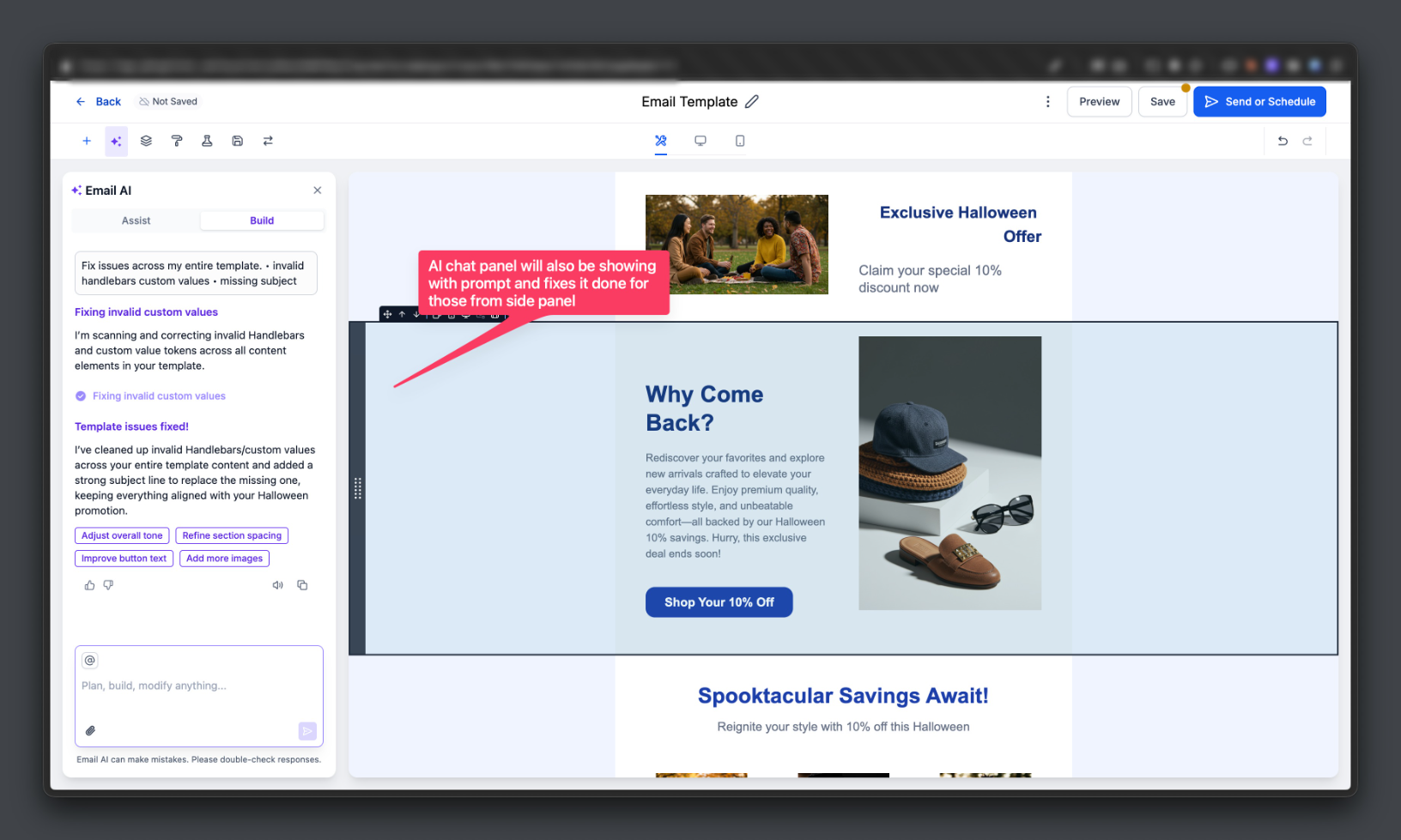
We’ve introduced AI-powered one-click fixes for common email issues such as invalid custom value syntax or missing subject lines. The AI automatically applies the fix, creates the required variant when needed, and logs all updates directly in the Email AI chat window.
Impact
Reduces manual debugging for email configuration errors
Speeds up time to value for the users.
Improves send reliability by proactively fixing invalid setups
Provides full visibility into AI-generated changes through chat history
How to test It?
- Enable Email AI in Beta Labs
- Create a campaign with:
Incorrect custom field syntax, or
Missing subject line / preview text
- Click Send, Schedule, or open the Checklist
- On validation errors, click the new “Fix with AI” action
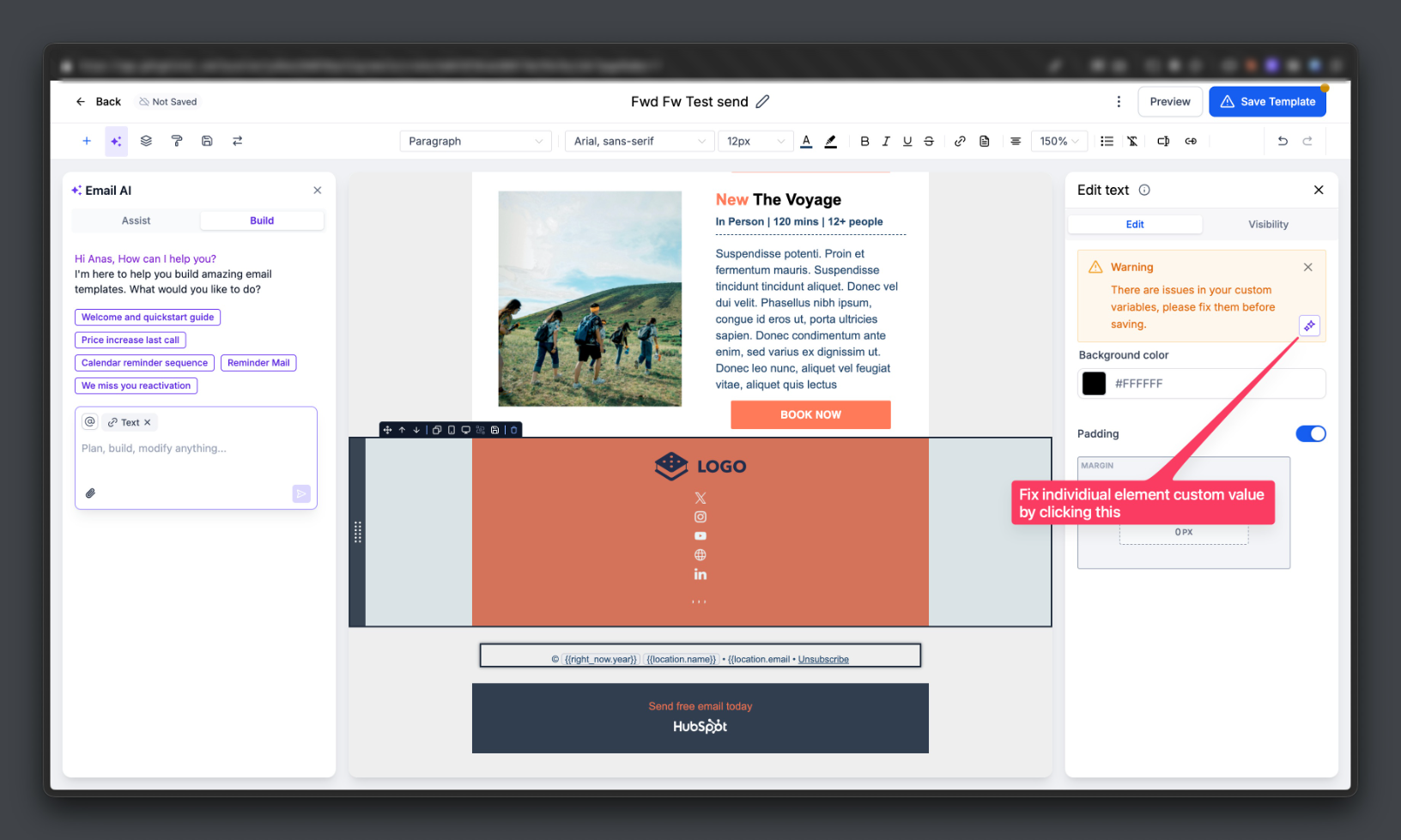
- The Email AI chat window will explain the fixes applied and log the changes automatically
Coming Soon
We’re also launching Beautify with AI, which will automatically improve mobile responsiveness, alignment, spacing, and overall email layout consistency to help create cleaner, production-ready emails with a single click.
Was this article helpful?
That’s Great!
Thank you for your feedback
Sorry! We couldn't be helpful
Thank you for your feedback
Feedback sent
We appreciate your effort and will try to fix the article